

MetaCafe is the perfect platform where we tin watch videos & listen to audios online. It basically provides all the features like to upload, share and view videos. Despite of existence such an avant-garde software, they do non provide characteristic to download MetaCafe videos. Ever felt similar you get then attached to some movie or song that you desire to watch it again and again, but yous don't know how to practice information technology?
So, in this article we will evidence you how to download MetaCafe videos to computer with four like shooting fish in a barrel methods. Let'south move ahead so, now you are i step closer to download your favourite video right into your device. All you need is to follow these instructions properly.
- Function 1. Best MetaCafe Video Downloader: TunesKit Screen Recorder
- Part 2. Three Other Tools to Download Videos from MetaCafe
- ane. AceThinker Video Keeper
- ii. KeepVid
- 3. Coolmuster Video Downloader
- Role 3. Conclusion & Proposition
Part 1. Best MetaCafe Video Downloader: TunesKit Screen Recorder
TunesKit Screen Recorder captures videos and audios activity on the computer screen. You can tape videos in loftier quality and relieve them in different media formats. Using this software nosotros can easily download videos from MetaCafe. There are so many incredible features in this software similar there are three recording modes, you can choose, record video, capture audio, or record video and audio together. It also does schedule recording, y'all just demand to fix starting and ending time.

TunesKit Screen Recorder Key Features
- Supports nearly every format of the video.
- It has some very unique features.
- Super easy to use, once gear up upwardly is all done.
- Ability to record video and audio separately or simultaneously.
- Tape screen in high resolution at up to sixty frames per second.
Steps to Download MetaCafe Video Downloader with TunesKit:
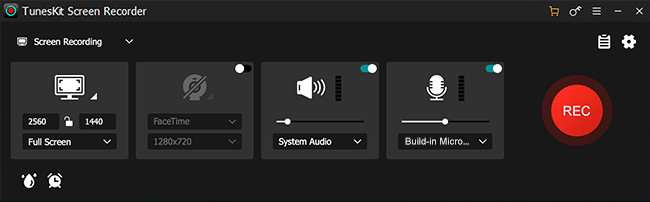
Step 1: Download the software and install it on your computer. Later launching, y'all will get a main screen exactly shown below. There y'all will get options like recording, volume up-downwardly and zoom in-out.
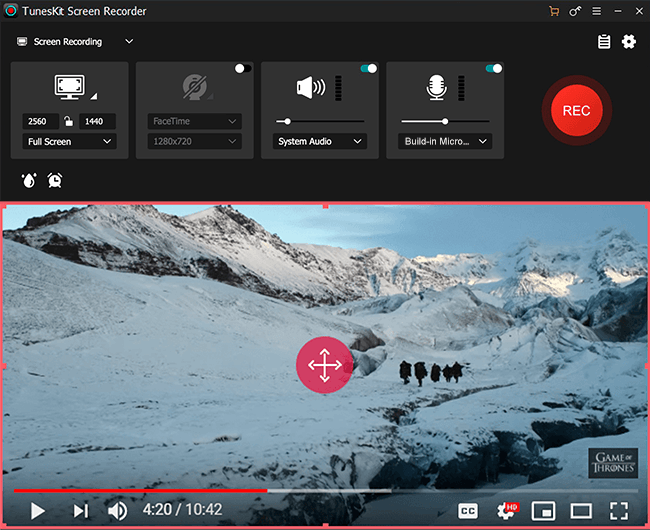
Step 2: Now before you start to capture screen video, choose an area for recording. Click on the '+' push button and you lot take to comprehend the recording area using arrow. If you need, you tin too tape the full screen area.
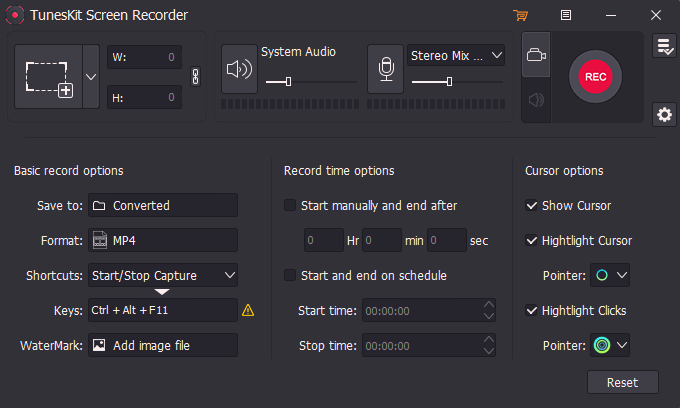
Step 3: Subsequently that you need to adjust your recording "Settings" icon from the correct corner of the interface. You'll go a lot of other options at that place that includes output format or device, change the output folder, customize suitable keyboard shortcuts, make a scheduled recording, change the cursor and click effects, add together image watermarks etc.
Step four: At present click on the blood-red colour "REC" button to start recording. You demand to be ready to first playing the target MetaCafe video after the 3 2d count. You can also you're the "Suspension" and "Terminate" push button to pause the recording or stop it someday.

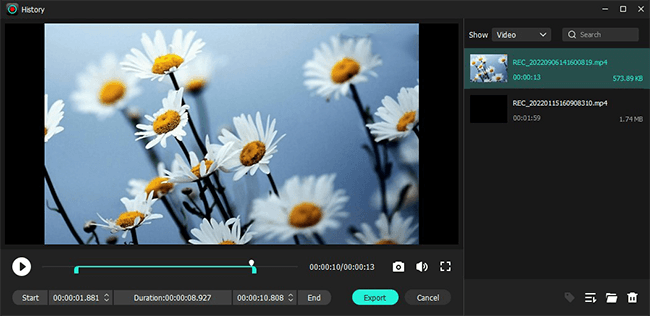
Step 5: Finally preview the recorded video after the recording is done. You lot tin also edit the video as needed, by clicking on the "Edit" push button and and so save it. Use the search button to open up the output folderwhere you saved the recorded video.
Part ii. Other MetaCafe Video Downloaders to Download Videos from MetaCafe
Next, I will introduce some other 3 methods on how to download MetaCafe videos for costless or paid, along with the pros and cons for each tools.
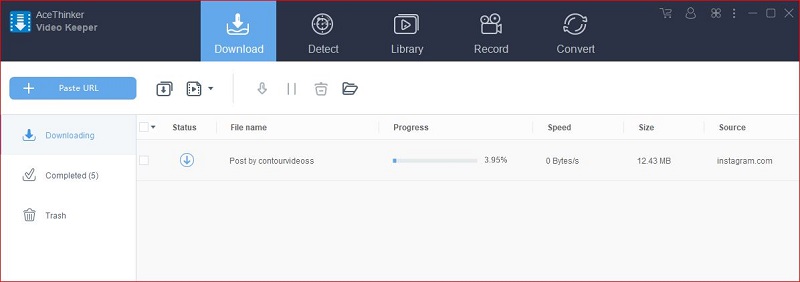
ane. AceThinker Video Keeper
AceThinker Video Keeper is very much valuable and it allow the users to download videos from MetaCafe and besides from several video-sharing sites which are trending these days, such as Lynda, Dailymotion, Vimeo, YouTube, VEVO, and many more than.
All the videos accept greater size because of its loftier quality videos which is categorized nether 4K, Hard disk drive & SD. The users can download it smoothly. They want quick download for then many types of entertainment to lookout it later, such as music videos, movies, Idiot box shows, video tutorials and some more than offline content. And this video keeper makes this possible. It can exist accessed and played on mobile devices.
Pros:
- Like shooting fish in a barrel video editing, converting, and downloading.
- Back up for Hard disk drive formats.
- Born screen recorder.
- Delivers tons of tools and features.
Cons:
- Blueprint isn't too bully.
- The free version is filled with lots of technical hang-ups.
two. KeepVid
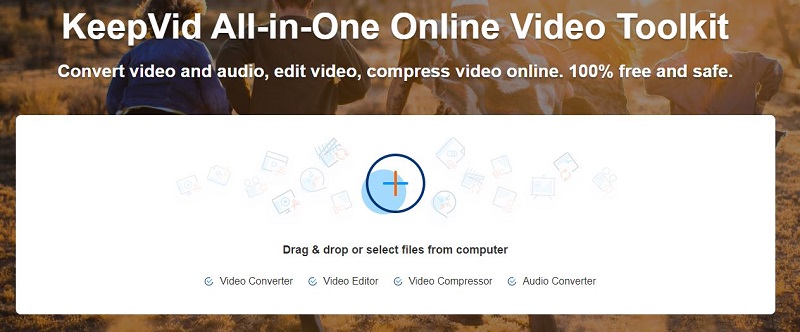
KeepVid is completely free online tool to download MetaCafe videos and needs no any subscription. To download videos from MetaCafe, no special technical skills or cognition is required.
It starts with MetaCafe page link. You need to copy that link, then paste it into the white box appeared on KeepVid site. And click on Go. Their system volition locate download links for all the possible formats, and prove them to you. You can pick format you lot like and go for information technology but by default KeepVid save MetaCafe videos to MP4. The near efficient way is to right-click the download push button, and select Save Link As to proceed to the standard download dialog, where you will be able to enter special filename.
Pros:
- Very simple process to download MetaCafe videos.
- Choosing format for output file is in your hand.
- No limitations on size or no. of video.
Pros:
- At that place are no any animation features.
- Small bugs and inconsistencies.
- The output is incompatible for few browsers.
3. Coolmuster Video Downloader
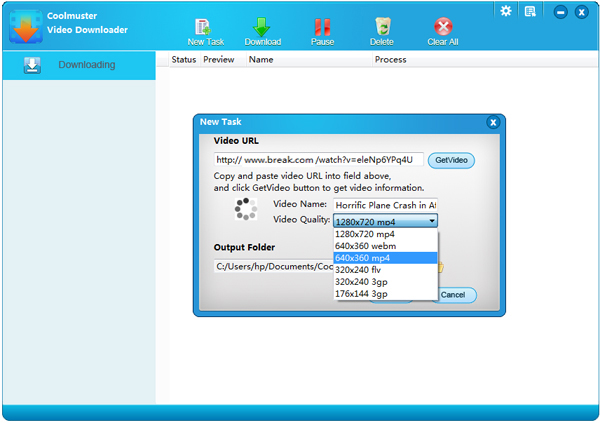
Coolmuster Video Downloader uses the link y'all accept provided to automatically identify the video which you wanted to download, and then represents at the lesser of the window, also as name, size and download progress. If y'all don't like the default output format, you lot can modify information technology to many other ones, such as MP4, MKV, FLV, 3GP, WebM then on. Furthermore, this video downloader not just supports downloading MetaCafe online videos, only also allows yous to download videos from YouTube, Dailymotion, Break, AOL etc. and many more than. It perfectly preserves the total HD quality of the paradigm and audio of the original videos.
Pros:
- Coolmuster video downloader does non affect system performance.
- Download videos from MetaCafe, YouTube and then many other websites.
- Preserve the full Hd quality of videos perfectly.
Pros:
- Features are generic and express.
- Perform relatively poor when downloading longer videos.
Part 3. Conclusion & Suggestion
In this article, we accept introduced you to some trending ways download MetaCafe videos. Nosotros have also provided complete data about some software with guidance to download and use them. We have left yous with the pick to select the best method to download. After reading the full article, yous must be wondering which 1 is the all-time way to download the MetaCafe Videos to computer. And so beingness a tech adept, we will advise y'all to utilise TunesKit Screen Recorder. Considering information technology's amazing features are far meliorate than whatsoever other software.

Nick Orin is a review writer, software geek and Mac Bone enthusiast. He spends all his gratuitous time in searching useful software and gadgets to share with others.
DOWNLOAD HERE
Posted by: johnsonvored1999.blogspot.com
Post a Comment